
Station Desktop v2
Jul 22, 2024
Written by: Patrick Woodhead
We are pleased to announce the launch of the new Station Desktop v2!
From Station Desktop v1, we received great feedback about how you could start earning FIL in just a few clicks, with no technical knowledge needed, and no stake needed.
We've listened to your feedback, and acknowledged that Station operators are now looking for more useful information inside the app. On top of that, it was important to us to display this in a fun and engaging way.
On July 8th 2024, we released Station Desktop v2, which now features earnings graphs, module information as well as a dedicated wallet section. Let’s do a quick tour.
Earning Overview
On the dashboard, you can now see your total rewards in a chart, which combines the amount that has been sent to your Station FIL wallet as well as the amount that has accrued on chain but has not yet been sent out to you.
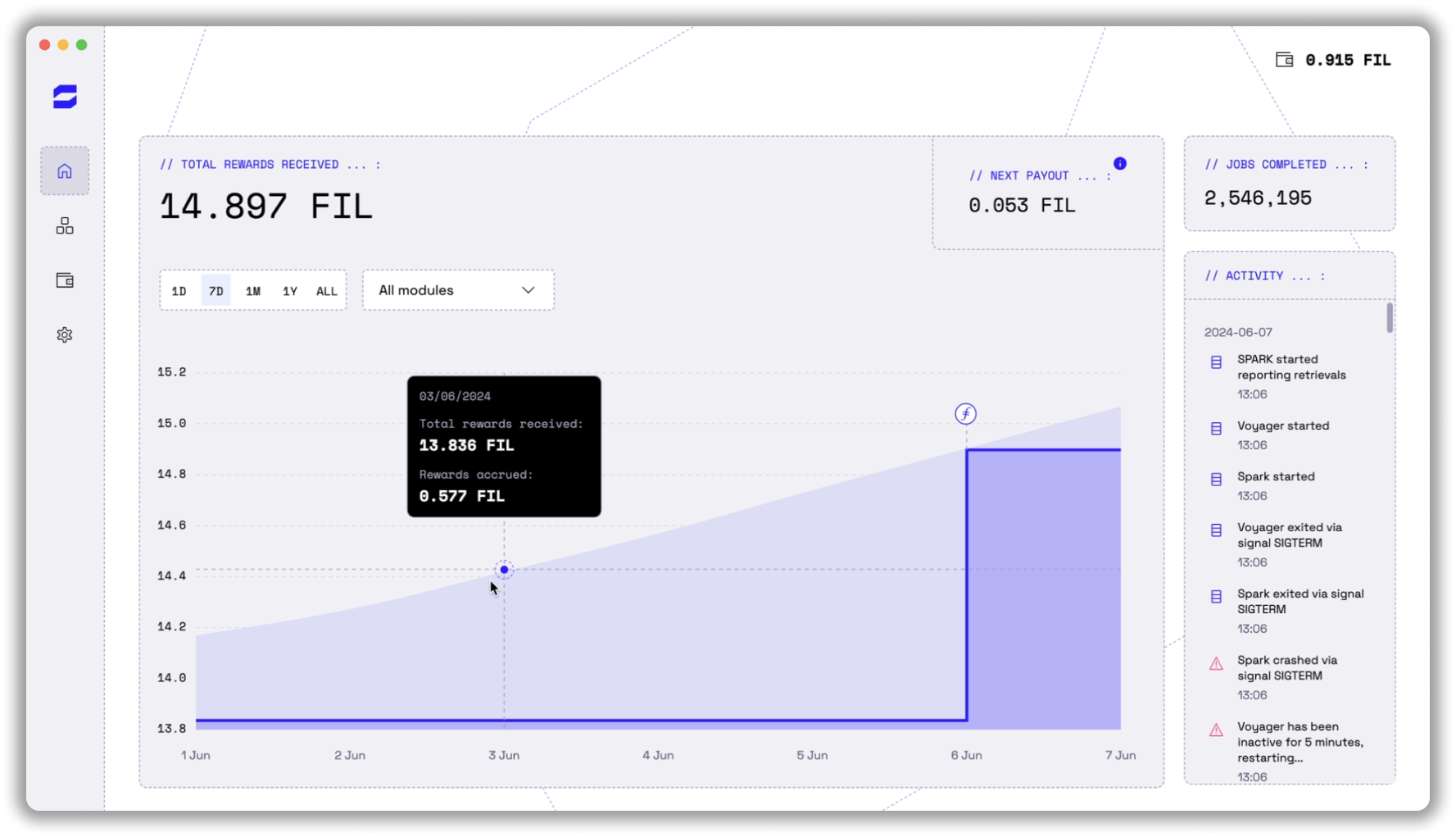
Recall that you must have more than 0.1 FIL accrued on chain before it is paid out into your Station wallet. This is to limit the number of transactions for tiny amounts of FIL made by the contract.
The total under the dark blue line in the chart is the amount that you have in your Station wallet under your own custody.
The amount on top of that, in light blue, is that amount that has accrued on chain so far.
On the right hand side, you can also see the total number of jobs completed as well as the old activity log that used to fill the screen in v1.
Module Directory
The modules page shows the list of modules on Station. So far, this is Spark and Voyager. More tiles will appear soon.
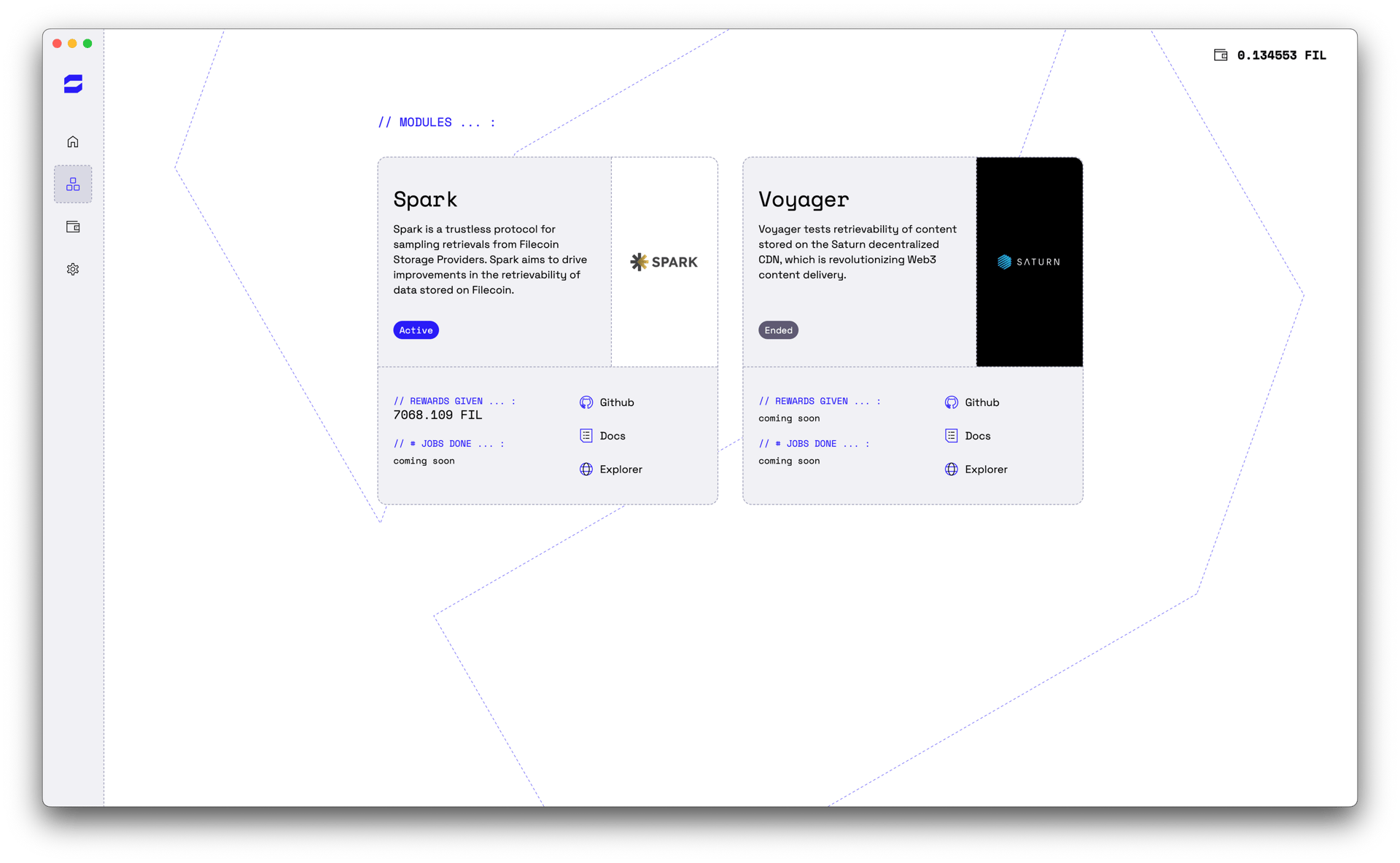
These module tiles allow you to see how many jobs have been completed as part of each module as well as the rewards given out so far.
It also provides module links in case you would like to explore the module further.
Wallet
The Wallet page allows you to see all your transactions to and from your Station FIL wallet. It also provides an interface for transferring your FIL out into a destination wallet.
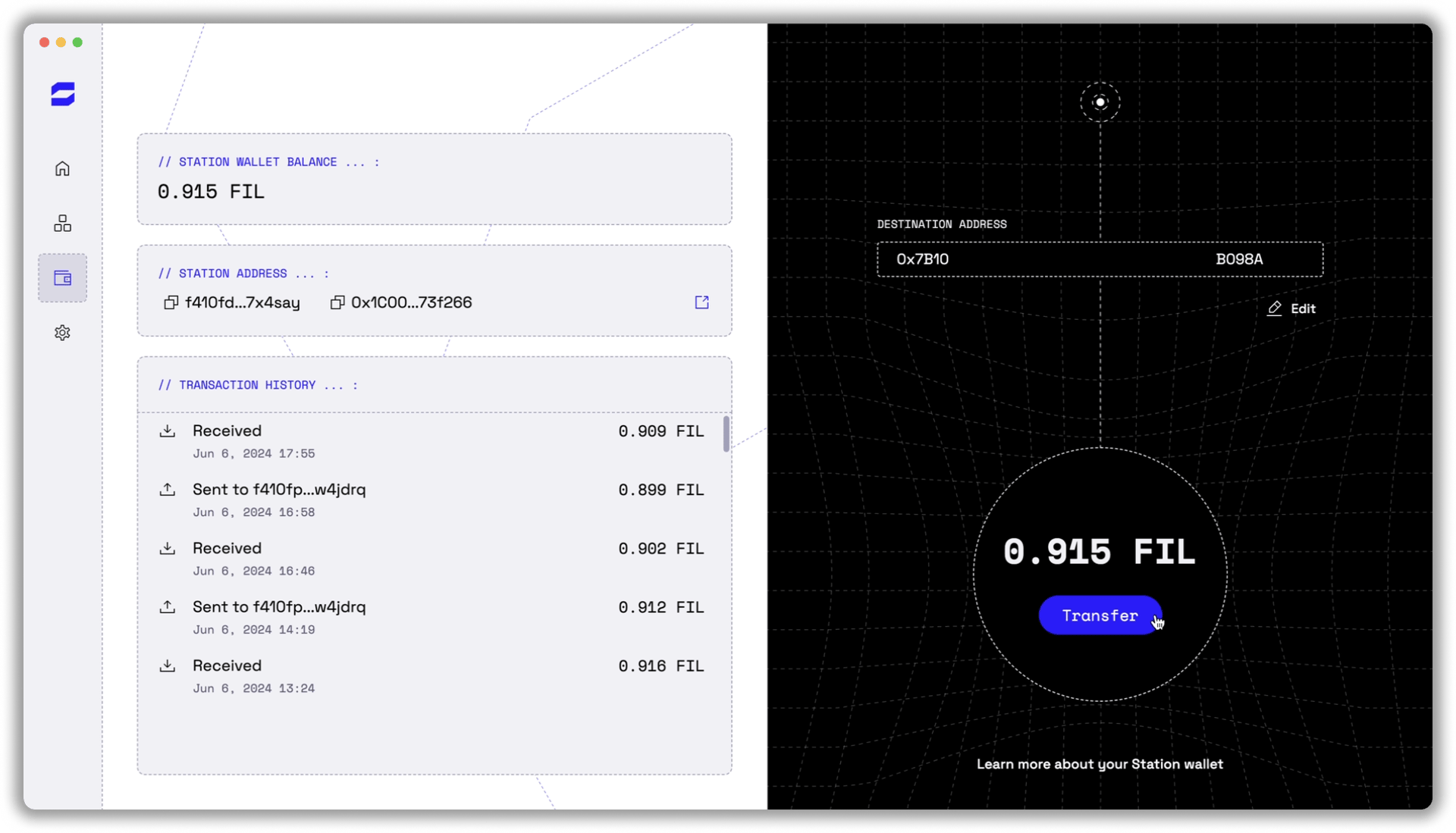
Since transferring your earnings to another wallet or exchange is such a crucial flow, we have dedicated the full window to a redesigned wallet.
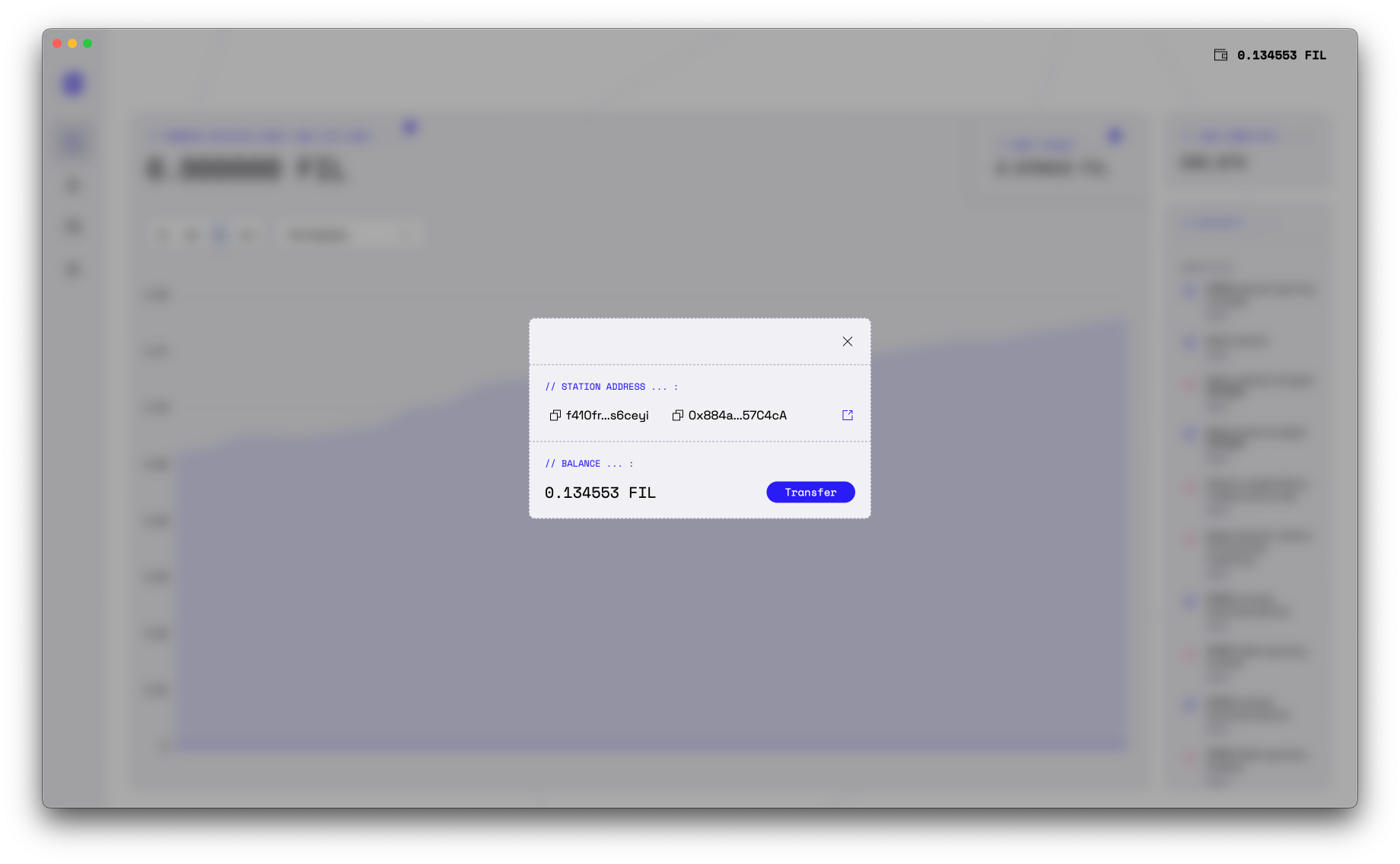
On top of that, your wallet is still always accessible from other pages, through the balance overview in the top right. The below image is what appear when you click on your wallet in the top right of the app.
Settings
The final tab is the Settings page. Here you can check for updates or save module logs to help the Station team debug any issues.
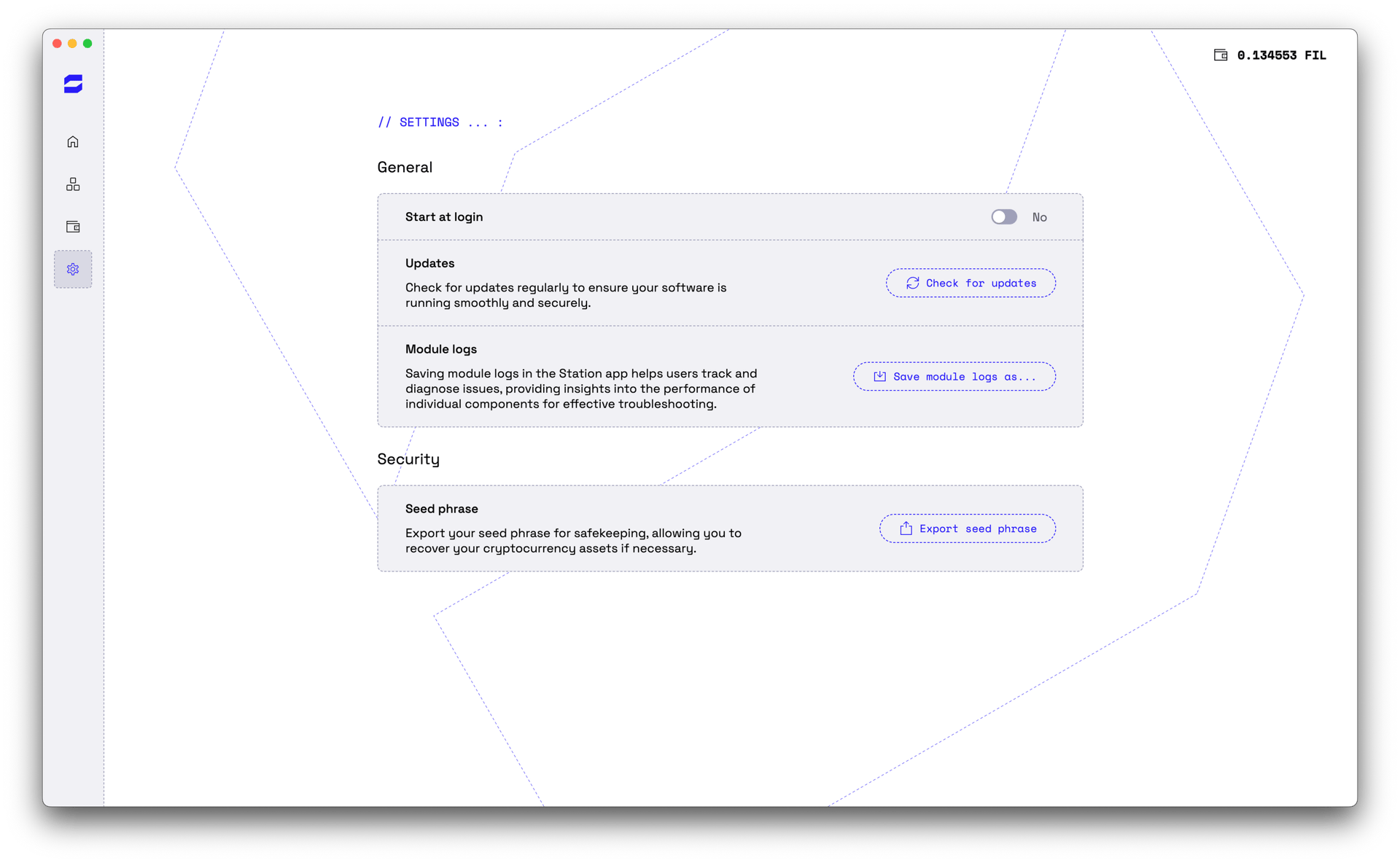
Finally, on this page you can export your Station FIL address’s seed phrase so that you can recover your Station account in case something goes wrong.
That’s all! We hope you enjoy the new Station Desktop app v2. Please let us know if you have any feedback.